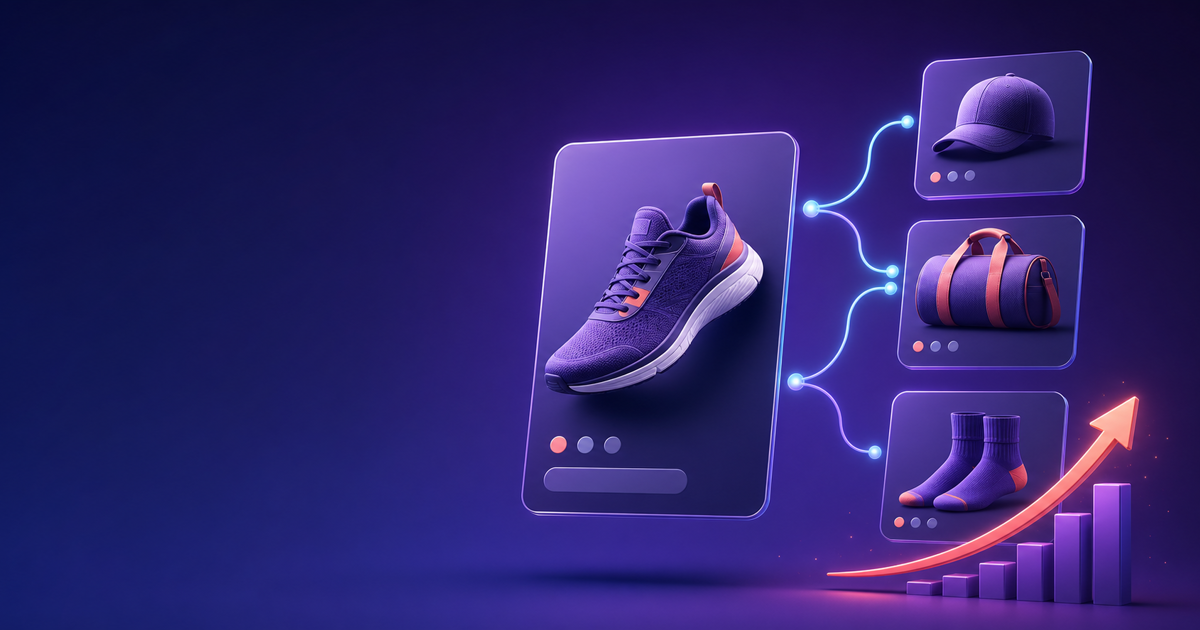
Manual Related Products Do Not Scale
Open the Magento 2 admin, pick any product, and scroll to the Related Products, Up-Sells, and Cross-Sells sections. To populate them you click a grid, search, tick checkboxes, and save. Then you do it again for the next product, and the next, until you have covered your catalog. For a store with 500 products that is hundreds of hours of repetitive work. For a store with 5,000 or 50,000 products it is simply impossible, so most merchants do it for a handful of bestsellers and leave the rest of the catalog with empty recommendation slots.
The cost of those empty slots is real. Related products, up-sells, and cross-sells are the primary levers for increasing average order value, and AOV is one of the few revenue metrics you can move without spending more on acquisition. Industry benchmarks consistently put the AOV lift from well-placed cross-sells and up-sells at 10 to 30 percent. Amazon famously attributes roughly a third of its revenue to its recommendation engine. The "Frequently Bought Together" block on a product page, the "Customers Also Bought" carousel after the cart, the up-sell to a premium variant: these are not decorative features, they are the difference between a $60 order and a $90 order.
The problem is that native Magento 2 treats related products as a manual, per-product chore. There is no rule engine that says "for every camera, show matching lenses and memory cards." There is no order-correlation engine that learns, from your actual sales data, which products are bought together. The result is that most Magento 2 stores show recommendations only on their top products and show nothing on the long tail, which is where most of the catalog, and most of the revenue opportunity, actually lives.
MageRa Auto Related Products replaces the manual model with two complementary engines. A rule engine assigns related products, up-sells, and cross-sells automatically based on conditions you define. A co-occurrence engine mines your order history to compute real "Frequently Bought Together" and "Customers Also Bought" blocks. Together they populate every product page and the cart with relevant recommendations, refreshed on a cron, with no ongoing manual work.
What Is MageRa Auto Related Products (and Why Your Magento 2 Store Needs It)
MageRa Auto Related Products is a Magento 2 extension that automatically assigns related products, up-sells, cross-sells, and bought-together blocks across your entire catalog. It combines two recommendation strategies that work for different reasons.
The first strategy is rule-based assignment. You create rules using simple, documented JSON conditions: include or exclude categories, filter by product attributes like color or brand, constrain by price range, and exclude the current product. A rule might say "on every camera product page, show related products from the lenses and memory cards categories, priced between $10 and $300." The rule engine evaluates the current product against the conditions, fetches matching products, and renders them in the native related, up-sell, or cross-sell slots. Because the rules are defined once and applied catalog-wide, a single rule covers thousands of products.
The second strategy is order-correlation. This is what powers the "Frequently Bought Together" and "Customers Also Bought" blocks that shoppers recognize from Amazon. The engine analyzes your sales_order_item table to find products that genuinely co-occur in the same orders, counting how often each pair appears together. A memory card bought alongside a camera 400 times is a strong recommendation; a product bought with it twice is noise. You set a minimum co-occurrence threshold to filter out coincidence, and only statistically meaningful pairs surface as recommendations. This is qualitatively different from rule-based assignment because it reflects actual purchasing behavior rather than your assumptions about what goes together.
The psychology matters. Shoppers trust "Customers Also Bought" because it carries the implicit endorsement of other buyers. A rule-based "you might also like" block can feel like a sales pitch, but a co-occurrence block feels like social proof. Both work, and they work for different reasons, which is why the best stores run both.
The typical impact is a 10 to 30 percent lift in AOV when recommendations are deployed across the catalog rather than just on hero products. MageRa Auto Related Products is the right fit for any Magento 2 store with a catalog too large to manage manually and enough order history for the co-occurrence engine to find meaningful patterns. It is less essential for stores with a tiny catalog where manual assignment is feasible.
Key Features of MageRa Auto Related Products for Magento 2
MageRa Auto Related Products gives you both rule-based and order-correlation recommendation engines in one extension, with inventory awareness and caching for fast storefront rendering.
Screenshot of the MageRa Auto Related Products admin configuration panel in Magento 2
Separate Rules per Type: Create distinct rule sets for related products, up-sells, cross-sells, and bought-together blocks. A common setup uses rules for related and up-sell slots on the product page, a separate rule set for cross-sells in the cart, and the order-correlation engine for the "Frequently Bought Together" block. Each type can have its own conditions, limits, and sort order.
Simple JSON Conditions: Rules use a documented JSON format that any merchant can read and write. The supported keys are include_categories, exclude_categories, attributes (for example matching color or brand), price_min and price_max, and exclude_current_product. Any subset of keys can be omitted, so a rule can be as broad or as precise as you need. This is far more approachable than Magento's full rule condition interface while covering the cases that matter.
Frequently Bought Together from Real Order Data: The co-occurrence engine reads your sales_order_item table and counts how often each product pair appears in the same order. Products with a high co-occurrence count surface as "Frequently Bought Together" recommendations, reflecting genuine purchasing behavior rather than merchant guesses. This is the Amazon-style block shoppers already trust.
Inventory-Aware Filtering: Out-of-stock products are automatically excluded from recommendations, so you never cross-sell a product the shopper cannot buy. This is configurable, so you can include back-ordered items if your business supports them, but the safe default is to exclude anything not currently salable.
Sort Options: Control how recommendations are ordered within a block. Choose relevance for the most matches, random for variety across page loads, price ascending or descending for merchandising control, or name for alphabetical consistency. Different blocks can use different sort orders.
Cron-Driven Result Cache: Recommendations are computed by a cron job and cached in a dedicated table, refreshed every six hours, so storefront rendering is a fast cache lookup rather than a live query. This keeps product pages fast even with large catalogs and complex rules. After you add or edit rules, the next cron run rebuilds the cache.
Screenshot showing Frequently Bought Together and cross-sell blocks on the Magento 2 storefront
AJAX Endpoint and Hyva Widget: A GET /autorelated/recommend endpoint returns cached recommendation IDs as JSON, and a Hyva-compatible PDP widget renders the blocks. A Luma template is also included, so the extension works regardless of your theme. The AJAX architecture means recommendations load without blocking initial page render.
Admin Grid with Manual Pin Override: Manage all rules from an admin grid with add-edit form, mass enable and disable, and delete. A manual pin override lets you feature specific products at the top of a block regardless of what the rules or order data produce, so you can hand-curate hero placements while automation handles the long tail.
How to Set Up MageRa Auto Related Products in Magento 2
Setting up the extension takes five steps. The rule engine and the order-correlation engine are configured separately, so you can roll them out independently.
Step 1: Install the Module
Copy the module into app/code/MageRa/AutoRelatedProducts, then run the standard Magento 2 enable sequence from your project root:
php bin/magento module:enable MageRa_AutoRelatedProducts
php bin/magento setup:upgrade
php bin/magento setup:di:compile
php bin/magento setup:static-content:deploy
php bin/magento cache:flush
The setup upgrade creates the rule and result cache tables. Make sure your Magento cron is configured and running, because the result cache rebuilds on a cron schedule.
Step 2: Configure Global Settings
Open Stores > Configuration > Catalog > Auto Related Products. Set Enable Auto Related Products to Yes. Toggle Exclude Out-of-Stock Products to Yes so you never recommend unavailable items. Set the Default Result Limit (how many recommendations each block shows, typically 4 to 8). Under the order-correlation settings, enable Order-Based Recommendations if you want the bought-together engine, set a sensible Minimum Co-occurrence Count (3 to 5 filters out noise), and set the Order History Lookback in days (90 to 365 days gives enough data without overweighting stale behavior).
Step 3: Create Your First Rule
Go to Marketing > MageRa Auto Related Products > Manage Rules and click Add New Rule. Choose the type (related, up-sell, cross-sell, or bought-together), give it a name, and define the conditions in JSON. A starter related-products rule for a clothing store might be:
{
  "include_categories": [3, 7],
  "attributes": { "color": ["red", "blue"] },
  "price_min": 10,
  "price_max": 100,
  "exclude_current_product": true
}
This shows related products in categories 3 and 7, in red or blue, priced between $10 and $100, excluding the product the shopper is currently viewing. Save the rule and enable it.
Step 4: Let the Cron Build the Cache
After you save or edit rules, the magera_autorelated_refresh cron job rebuilds the result cache on its next run. You do not need to trigger anything manually, but you do need Magento cron running. If you want to see results immediately during setup, run php bin/magento cron:run once to force a refresh. From then on the cache rebuilds automatically every six hours and whenever rules change.
Step 5: Test and Pin Where Needed
Open a product page that should match your rule and confirm the recommendation block appears with the right products. Add a product to the cart and confirm the cross-sell block renders. If a specific placement needs hand-curation, use the manual pin override to feature chosen products at the top of that block. After a few weeks of live data, review which rules drive clicks and conversions, and prune or expand them based on actual performance.
MageRa Auto Related Products for Magento 2
MageRa Auto Related Products is built specifically for Magento 2.4.6 through 2.4.9, running on PHP 8.1, 8.2, or 8.3. It integrates directly with Magento's catalog, sales, and inventory modules so recommendations reflect real product relationships and real stock levels.
Key differentiators:
- Two engines in one extension: rule-based assignment for merchant control and order-correlation for genuine "Customers Also Bought" social proof
- The order-correlation engine reads your actual
sales_order_itemdata, so "Frequently Bought Together" reflects real purchasing behavior rather than assumptions - Inventory-aware filtering means you never recommend out-of-stock products, configurable if you want to include back-ordered items
- Cron-driven result caching keeps product pages fast even with large catalogs, because rendering is a cache lookup rather than a live query
- Simple documented JSON conditions are approachable for any merchant, unlike Magento's full rule interface
- Compatible with both Magento Open Source and Commerce editions, and with Hyva themes via the included widget
For pricing, visit magera.ca.
Pair MageRa Auto Related Products with MageRa Free Gift promotions and MageRa Product Labels to make recommendations visually compelling and incentive-driven.
Tips and Best Practices for Magento 2 Cross-Sells and Up-Sells
The engine does the work, but how you configure it determines whether recommendations help or annoy. Here are four practices that consistently improve results.
Match Recommendation Type to Page Context
Each recommendation slot has a job. On the product page, related products help shoppers compare alternatives ("which camera?") and up-sells nudge toward a better version ("the pro model"). In the cart, cross-sells prompt add-ons ("don't forget a memory card"). The "Frequently Bought Together" block on the product page is for complements ("buy the bundle"). Mixing these up hurts conversion. Do not put up-sells in the cart, where the shopper has already chosen, and do not put unrelated cross-sells on the product page, where they distract from the main product. Match the recommendation type to the shopper's stage in the journey.
Set a Minimum Co-occurrence Threshold That Filters Noise
The order-correlation engine will find pairs that appeared together once or twice, but those are coincidence, not signal. Set the minimum co-occurrence count high enough that only meaningful pairs surface. For a store doing modest volume, a threshold of 3 to 5 is a reasonable starting point. For a high-volume store, you can raise it to 10 or more. The goal is to show "Customers Also Bought" blocks where the recommendation reflects a real pattern, because shoppers lose trust in recommendations that feel random.
Refresh Your Lookback Window Seasonally
Purchasing patterns change. What people buy together in summer differs from winter. If your lookback window is 365 days, you average across seasons and may suppress current behavior. Consider a 90-day lookback for categories with strong seasonality, so the engine reflects what shoppers are doing now rather than a year ago. For evergreen categories with stable behavior, a longer window gives more statistical confidence. There is no universally correct number, so review performance quarterly and adjust.
Use Manual Pins Sparingly for Hero Placements
The manual pin override is powerful but easy to overuse. Pin a product when you have a strategic reason, such as featuring a high-margin item or clearing overstock, and let automation handle the rest. If you pin too aggressively, you defeat the purpose of automated recommendations and recreate the manual-assignment problem you bought the extension to escape. A good rule of thumb: pin no more than one or two products per block, and refresh pins monthly so stale merchandising decisions do not linger.
If you want to extend the recommendation engine into the cart and checkout, MageRa One Step Checkout keeps the checkout fast so cross-sells render without friction.
Conclusion
Native Magento 2 related products are a manual, per-product chore that does not scale past a handful of bestsellers. The result is empty recommendation slots across the long tail of your catalog, where most of your products and most of your AOV opportunity actually live. Well-placed cross-sells and up-sells consistently lift AOV by 10 to 30 percent, and that lift drops straight to revenue without any additional acquisition spend.
MageRa Auto Related Products replaces the manual model with two engines: a rule engine that assigns related, up-sell, and cross-sell blocks catalog-wide from simple JSON conditions, and an order-correlation engine that computes genuine "Frequently Bought Together" and "Customers Also Bought" blocks from your real sales data. Recommendations are inventory-aware, cached for fast rendering, and refreshable on a cron, with a manual pin override for hero placements.
Ready to populate every product page and the cart with relevant recommendations? MageRa Auto Related Products automates cross-sells, up-sells, and Frequently Bought Together from rules and real order history. Visit magera.ca/magento-2-auto-related-products.html to get started.
FAQ
Q1: How is "Frequently Bought Together" different from rule-based related products?
Rule-based related products follow conditions you define, such as "show products from the lenses category on camera pages." Frequently Bought Together is computed from your actual order data: the engine counts how often each product pair appears in the same order and surfaces pairs with a high co-occurrence count. The first reflects your merchandising decisions, the second reflects genuine customer purchasing behavior. Most stores run both, because they serve different shopper psychology.
Q2: How much order history do I need before the co-occurrence engine produces useful results?
You need enough orders that product pairs appear together more than once or twice, which is why the minimum co-occurrence threshold exists. For a store doing steady volume, 90 days of order history is usually enough to surface meaningful pairs in popular categories. Long-tail products with few sales may never accumulate enough co-occurrences, which is fine: those products rely on rule-based recommendations instead. The engine is additive, not a replacement for rules.
Q3: Will the extension slow down my product pages?
No. Recommendations are computed by a cron job and stored in a dedicated result cache table, refreshed every six hours. When a shopper loads a product page, the block renders from the cache rather than running a live query against your catalog and order tables. This keeps page load fast even with large catalogs and complex rules. The storefront widget also loads via AJAX, so recommendations do not block initial page render.
Q4: Can I still manually assign related products to specific items?
Yes. The manual pin override lets you feature specific products at the top of any recommendation block regardless of what the rules or order data produce. This is useful for strategic placements like high-margin items or overstock clearance. Manual assignment and automation coexist: automation handles the catalog-wide long tail, and pins handle the hero placements you want to control directly.
Q5: Are out-of-stock products excluded from recommendations?
Yes, by default. The extension filters out-of-stock products so you never recommend something the shopper cannot buy. This is configurable, so if your business supports back-orders you can choose to include them, but the safe default is exclusion. This prevents the frustrating experience of a shopper clicking a recommended product only to find it unavailable.
Q6: Is MageRa Auto Related Products compatible with Hyva themes?
Yes. The extension ships a Hyva-compatible PDP widget alongside a Luma template, so it works regardless of your theme. Recommendations load through the AJAX endpoint and render through the appropriate template for your theme family.
Internal Links
/blog/magento-2-free-gift(Free Gift — pair cross-sells with gift incentives to lift AOV further)/blog/magento-2-product-labels(Product Labels — make recommended products visually stand out)/blog/magento-2-advanced-search-autocomplete-synonyms(Advanced Search — drive shoppers to the products you then cross-sell)/blog/one-step-checkout-magento-2-conversion-rates(One Step Checkout — keep checkout fast so cart cross-sells convert)
Comments (0)
Be the first to comment.